
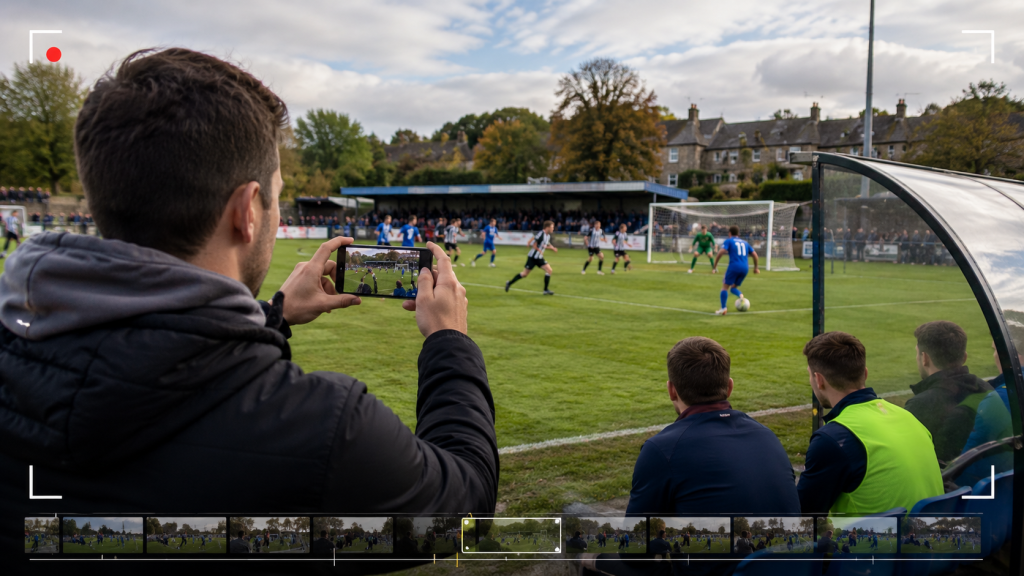
Big clubs have video departments. Local clubs have a volunteer with a phone and a Saturday afternoon to spare. That gap used to mean grassroots football simply lost the highlight-reel race before it started.
It doesn’t anymore. A stack of AI tools now handles most of the work that used to require a trained editor. Spotting the goal, cutting the clip, adding captions, even narrating the recap can all be automated to some degree.
None of it replaces judgment entirely. But it removes most of the manual grind that kept small clubs off TikTok and YouTube Shorts.
This guide walks through a realistic, low-budget workflow. Capture footage, let AI rough-cut it, then polish it for social.
Why Highlight Reels Are Worth the Effort
Highlight content isn’t a nice-to-have anymore. For smaller clubs, it’s become the main way fans, sponsors, and even recruiters discover them.
Sports organizations using AI highlights reportedly publish over four times more content without adding staff, per AI video platform Hooked. One G-League basketball team using the approach saw its social following grow 340%.
Highlight posts also outperformed the team’s other content by 89% in engagement.
Football clubs investing in similar workflows are seeing comparable returns. Consistent, fast-turnaround video builds an audience faster than occasional, polished pieces ever did.
Speed matters as much as quality here. A highlight reel published within hours of full-time gets far more traction than one published two days later.
By then, the moment has already faded from feeds.
Step 1: Capture Footage With What You Already Have
You don’t need a multi-camera broadcast rig to start producing usable content. A single phone on a tripod, positioned high and central, captures enough footage for a solid highlight reel.
Keep the frame wide enough to follow the ball without constant panning. Steady, wide footage is far easier for AI tools to process accurately than shaky, zoomed-in clips.
If budget allows later, a basic AI-tracking camera like Veo can follow play automatically. That frees up your one volunteer entirely, letting them focus on other matchday tasks.
Step 2: Let AI Handle the Rough Cut
This is where the biggest time savings happen. Dedicated sports highlight generators watch the full match and flag goals, saves, and key moments on their own.
Tools like Hudl and Springbok AI are built specifically for soccer event detection. WSC Sports and Spiideo serve clubs that already have camera infrastructure in place.
Most of these tools work by reading crowd noise, commentary spikes, and motion patterns. That combination helps them guess where the real action happened in a match.
Set your expectations correctly here. Industry testing suggests these tools eliminate 60–80% of manual cutting work. They rarely produce a finished, ready-to-post reel on their own.
You’ll still review and trim the shortlist yourself. Treat the AI output as a strong starting point, not a final cut.
A Note on Footage Quality
Self-shot match footage often looks soft or grainy once it’s blown up for social media. Distance from the pitch and basic phone lenses are usually to blame.
If a clip looks too rough to publish, run it through an AI upscaling or enhancement tool first. It’s a small extra step.
But it noticeably improves how professional the final reel looks.
Step 3: Polish the Cut for Social Platforms
Once you have your rough clips, the next job is making them look native to each platform. That’s a different skill from highlight detection, and it needs different tools.
CapCut is the most widely used option here. It offers AI background removal to isolate players, auto-captioning, and subtitle translation for reaching fans in more than one language.
Eklipse offers similar auto-reformatting, turning horizontal match footage into vertical 9:16 clips for TikTok and Reels. Both tools are largely free to start.
For clubs that want narrated recaps without recording a voiceover, Revid.ai is worth trying. It layers AI-generated commentary and synced subtitles onto raw footage automatically, adding a broadcast feel to amateur clips.
Step 4: Build Promotional Clips With Magic Hour AI
Highlight reels cover what happened on the pitch. But clubs also need teaser clips, matchday hype videos, and multilingual promo content — and that’s a genuinely different job.
This is where Magic Hour AI fits into the stack. Rather than detecting goals in raw footage, it turns text prompts or matchday photos into short, styled videos.
That makes it useful for pre-match hype clips and sponsor shoutouts. It can also turn a single post-match photo into an animated, shareable moment.
It’s a promotional layer, not a replacement for your highlight generator.
Two features stand out for local clubs specifically. Magic Hour’s multilingual voiceover and AI lip-sync support narration in several languages, which matters if your fan base isn’t monolingual.
That kind of multilingual content has already proven effective for clubs targeting migrant and regional fan communities. Reaching those groups in their own language tends to lift engagement noticeably.
Magic Hour’s talking-photo and avatar tools can also turn a short player quote into a narrated clip. No camera crew is needed for this.
It’s a fast way to produce content between matchdays, when raw footage is scarce.
Worth being upfront about the limits here. Like most AI video generators, Magic Hour’s outputs often need light editing before publishing.
That usually means trimming pace, adding music, or cleaning up transitions.
Treat it as a fast first draft for promotional content, not a finished product. Pair it with a quick pass in CapCut or a similar editor before it goes live.
Step 5: Turn This Into a Weekly Routine
A one-off highlight reel is nice to have. A repeatable weekly process is what actually builds an audience over a season.
Assign one person to own capture on matchday, even if that’s a volunteer with a phone. Immediately after full-time, run the footage through your highlight generator.
Hand the shortlist to whoever handles captions and posting. Aim to publish a first cut within two to three hours of the final whistle, while interest is still high.
Save the polished, narrated version for the next day’s follow-up post. That’s also the natural place to slot in any Magic Hour teaser clips or sponsor mentions.
Don’t Skip Mobile-First Formatting
Most fans will watch your highlight reel on a phone. Often that’s on a slow connection at the ground, or commuting home.
Vertical formatting and fast load times aren’t optional extras anymore.
Export separate versions for each platform. Use vertical 9:16 for TikTok, Reels, and Shorts, and widescreen 16:9 for YouTube uploads.
Most of the tools above, including CapCut and Eklipse, handle this reformatting automatically. It’s a one-click export, not extra manual work.
Keep captions burned into every video too. A large share of matchday viewers watch with the sound off, especially in public places.
Use Engagement Data to Refine the Routine
Most platforms show basic engagement numbers for free: views, watch time, shares. Check them weekly instead of guessing what fans want.
If goal clips consistently outperform build-up play, post more goal-focused cuts. If multilingual clips do better with certain fan segments, lean into that format.
This is the same principle bigger clubs use to guide content spend. It works just as well at grassroots level, even with a much smaller sample size.
What This Actually Costs
Compare this stack to a part-time video editor’s salary, and the math is straightforward. Most of these tools offer usable free tiers to start with.
Paid plans typically land between $10 and $60 a month. That covers higher resolution exports and removes the watermark on most tools.
Either way, it’s a fraction of even part-time editing wages.
A realistic starter stack looks like this: a highlight generator for the rough cut, CapCut or Eklipse for social formatting.
Then add Magic Hour AI for promotional and multilingual clips. None of it requires prior editing experience.
All of it can run on a laptop or phone a volunteer already owns. There’s no studio, no render farm, and no hiring process required to get started.
The Bottom Line
Small clubs can’t out-spend bigger clubs on video production, and they don’t need to anymore. AI has closed most of that gap over the last couple of years.
Start small. Capture one match with a phone, run it through a free highlight tool, and post the cut the same day.
Add promotional clips with something like Magic Hour once that core habit sticks. Layer in multilingual narration once you know which fan communities respond to it.
The clubs winning the digital-presence race right now aren’t the ones with the biggest budgets. They’re the ones publishing consistently, quickly, and in a format their fans actually watch.